
TestRay integrates directly with BluBees app to achieve test automation and BDD tests.
-
Please enable ‘Automation Integration' feature by following this page: Integration
-
Please set ‘BDD Tests’ test type by following this page: General
Automation Flow
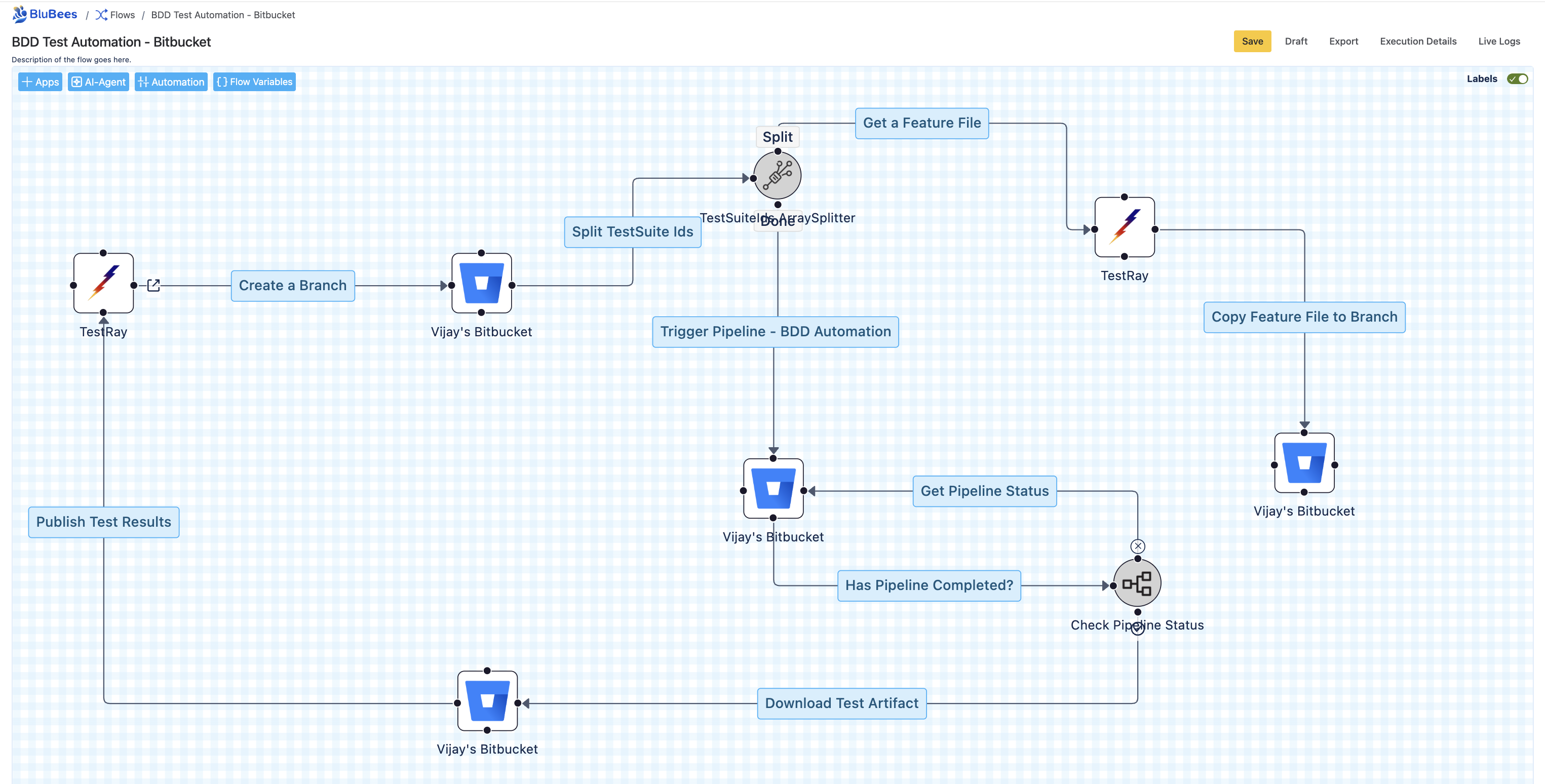
It is managed by BluBees, it helps to build multiple steps/workflows from various CI&CD tools. You can find a use case here: BluBees BDD Test Automation
Below illustration shows a automation process from BluBees:
BDD Tests
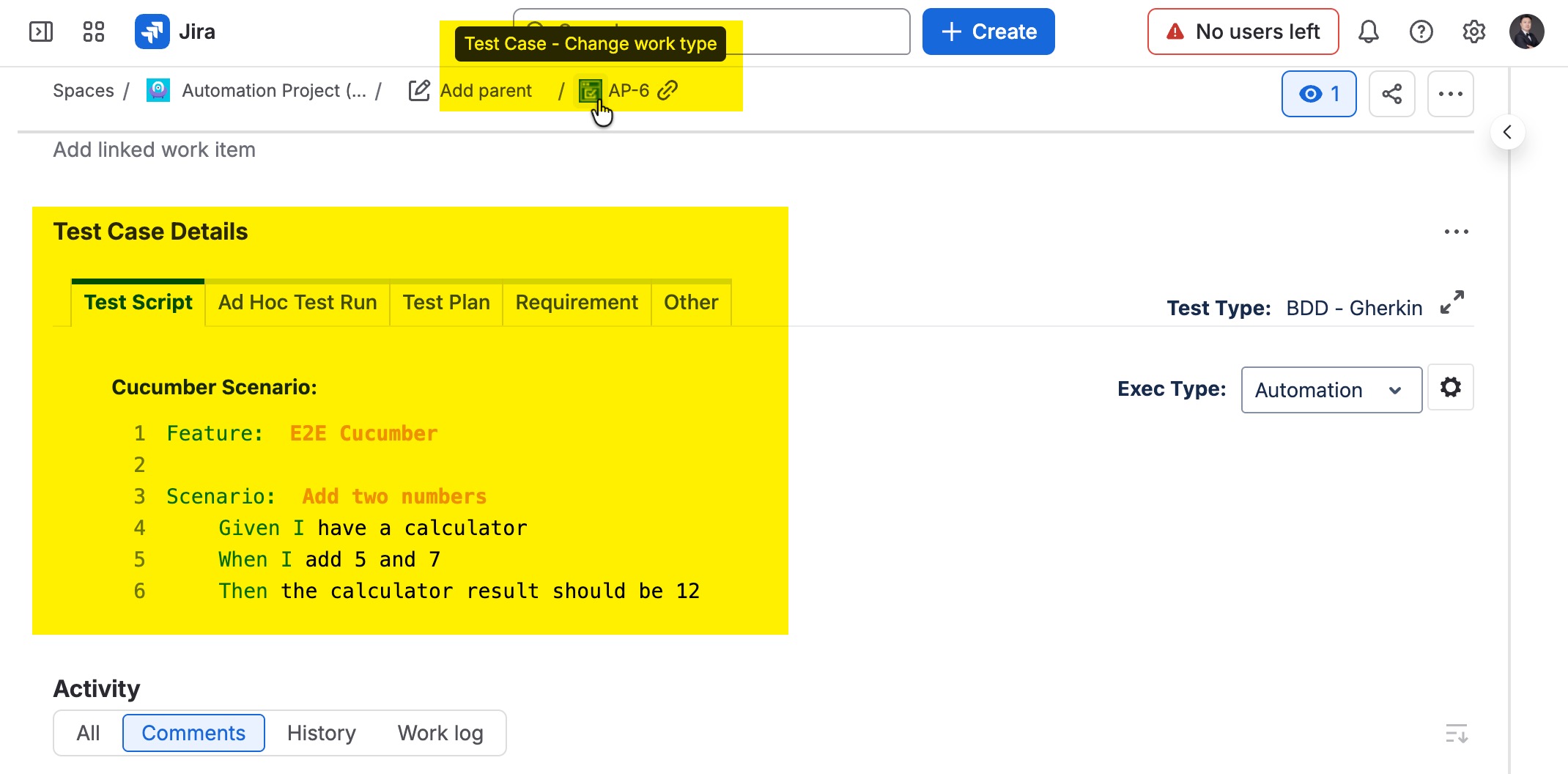
TestRay holds BDD test scripts inside ‘Test Case’ issue, it supports BDD-Gherkin syntax.
Below illustration shows a BDD test script from TestRay:
Automation Testing from Test Cycle
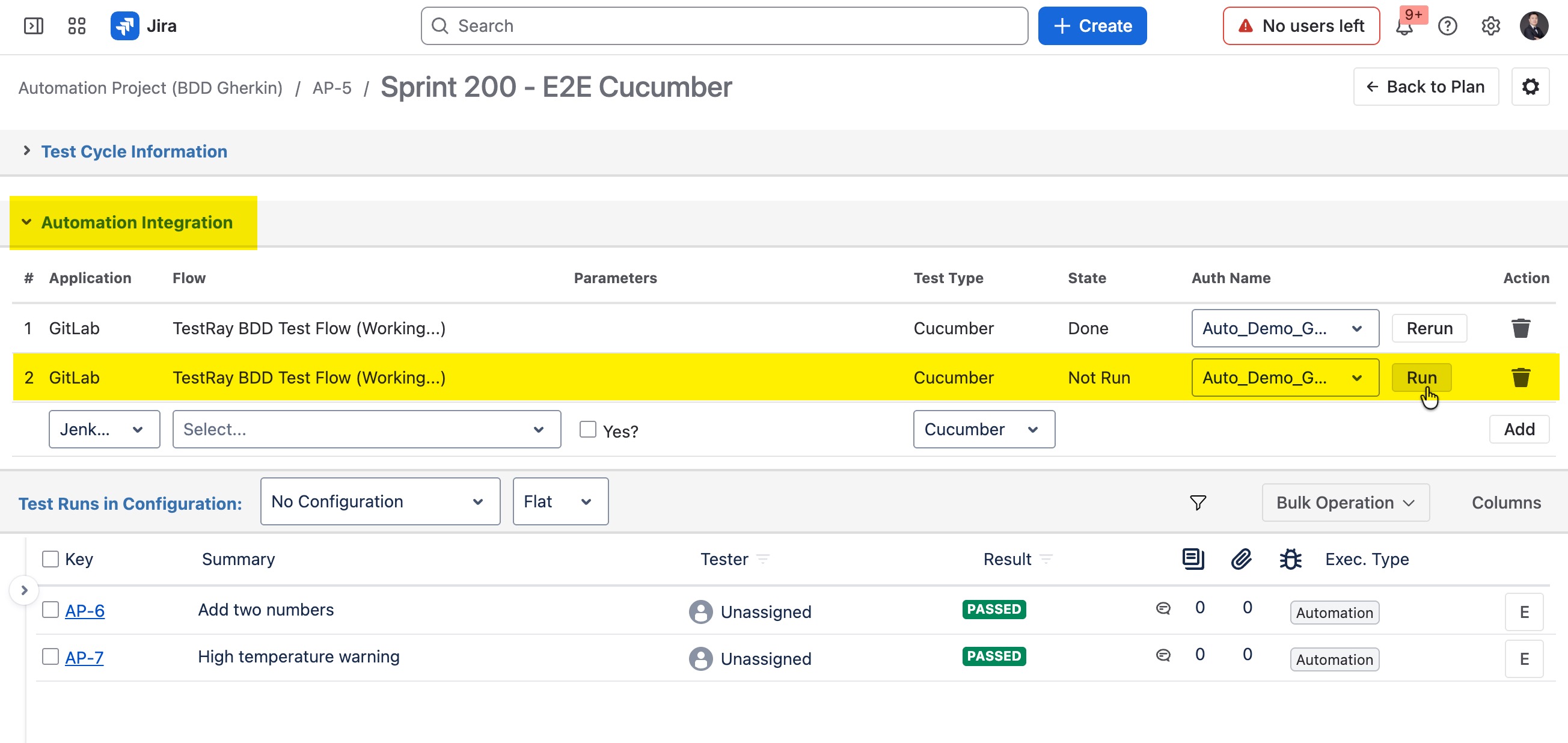
TestRay starts a BluBees flow from a Test Cycle, gets test results and update corresponding test runs in the Test Cycle.
Below illustration shows how test automation is completed in a test cycle:
Step by Step Guide for Automation Testing
-
Make sure BluBees app is installed together with TestRay app in same Jira Cloud server.
-
Creating a proper ‘Flow’ (automation) from BluBees which fits your test automation process.
-
Creating a Test Plan & Test Cycle in TestRay, adding Test Cases those need to be executed in the Test Cycle.
-
Start Test Cycle.
-
From ‘Automation Integration’ panel, select ‘Application', ‘Flow’ (created in #3), ‘Test Type’ and ‘Auth Name’.
-
Click ‘Run’ button, it will start the automation process.
-
Wait until the automation process/pipeline is completed, you will see test results for each Test Runs are updated automatically.