.png)
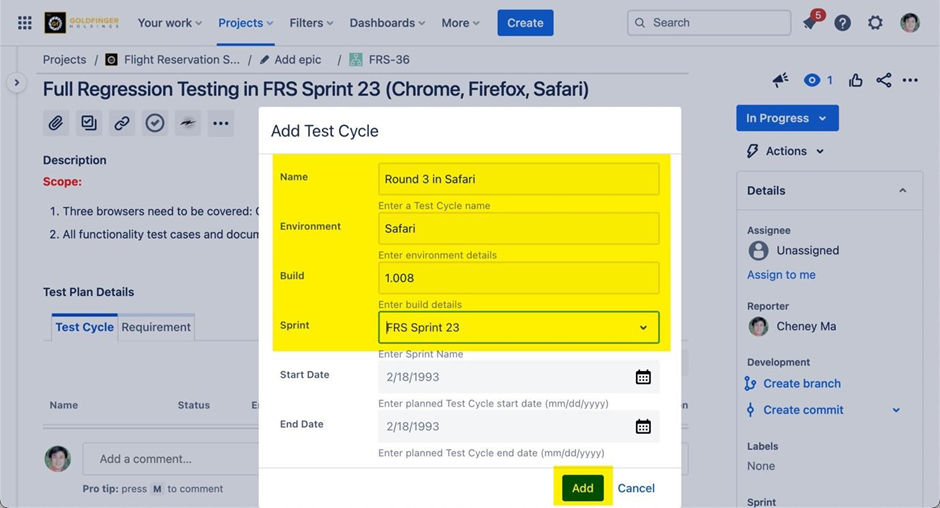
Launch a test plan issue, from “Test Plan Details” panel, click “Add” button, then specify below information to create a test cycle.
-
Name (required)
-
Environment (optional)
-
Build (optional)
-
Sprint (optional)
-
Start Date (optional)
-
End Date (optional)
The newly created test cycle will be listed in “Test Cycle” tab.
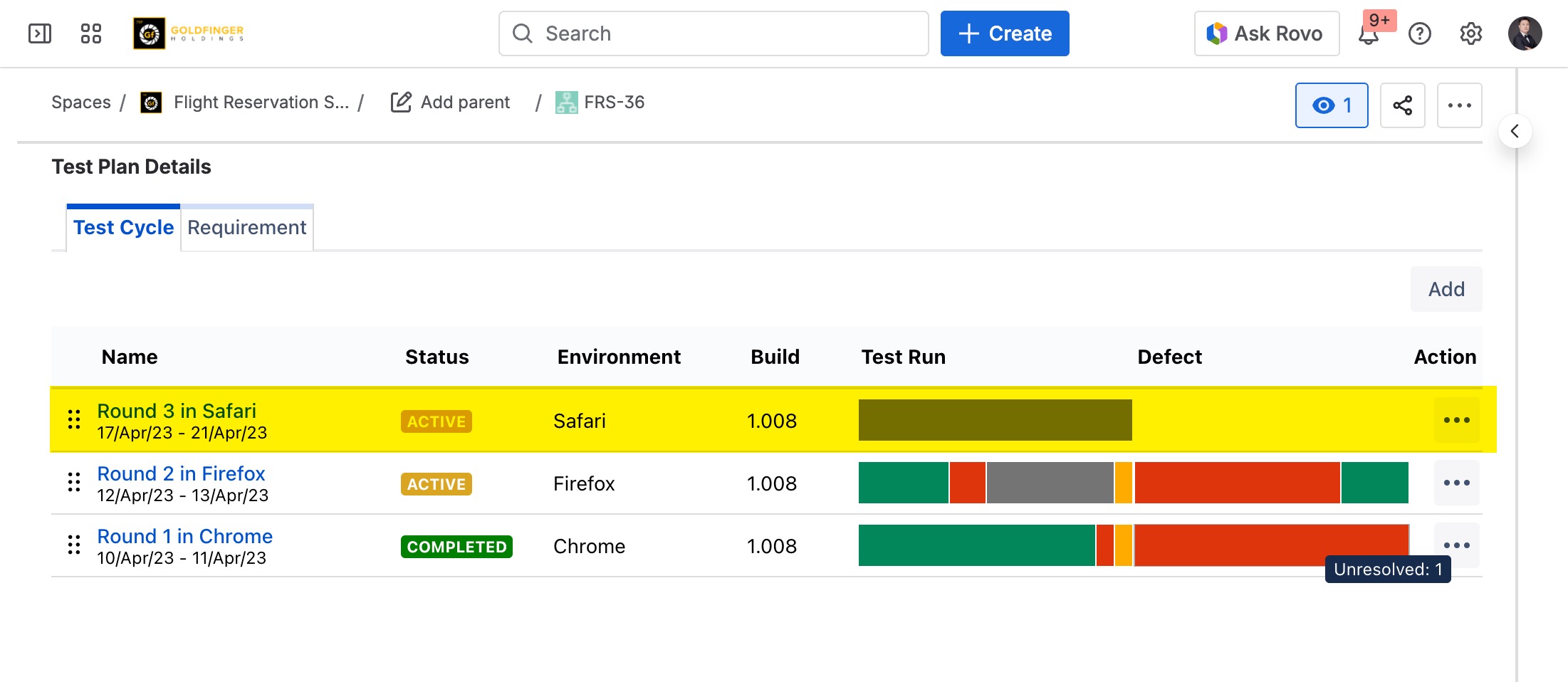
Test cycle can be reordered by drag and drop operation.
Once a new test cycle is created, it is good for next step: Selecting Test Cases