.png)
-
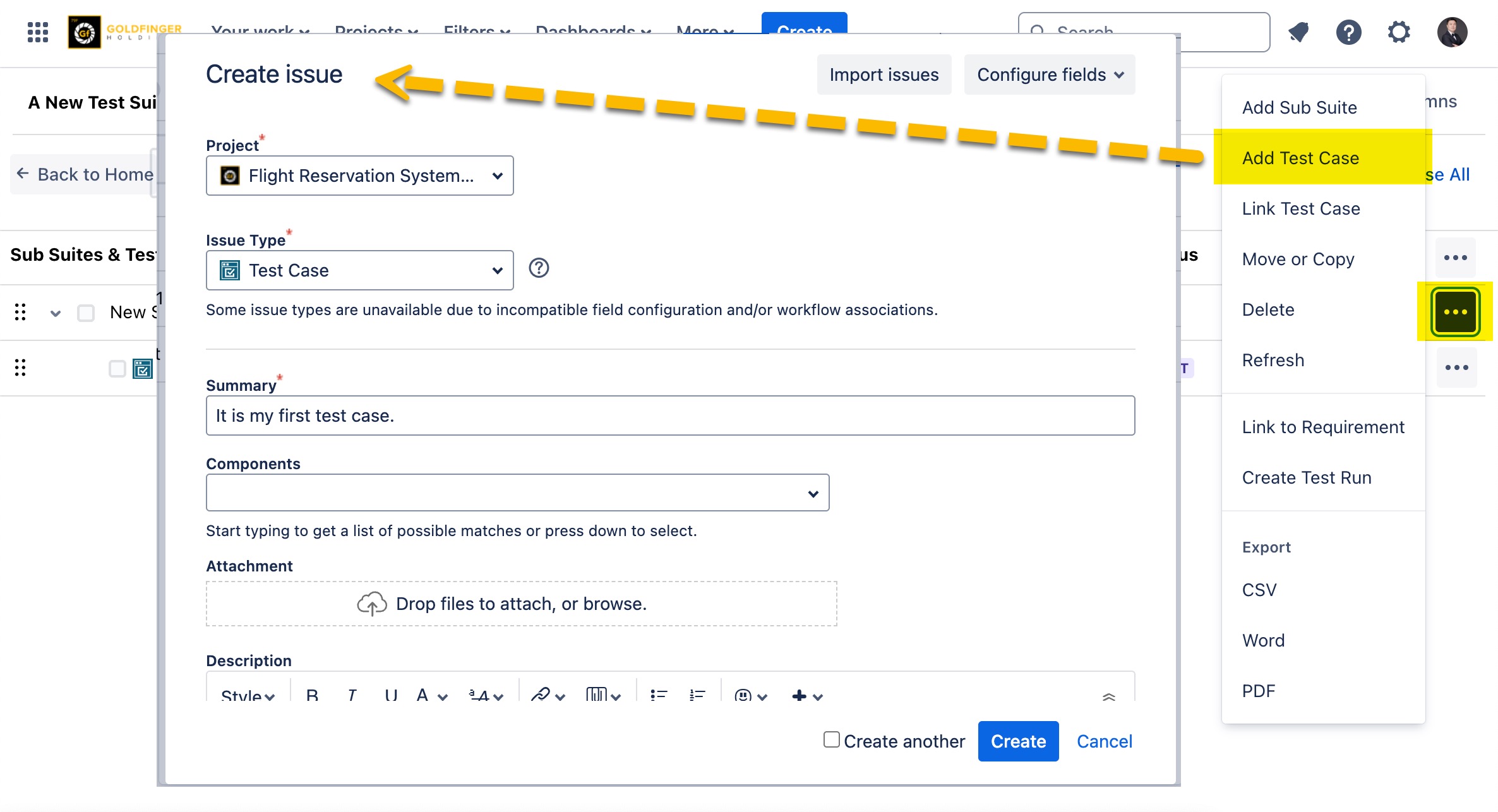
Click the “…” button adjoining test suite/sub suite and click add “Add Test Case”. The create issue box appears.
-
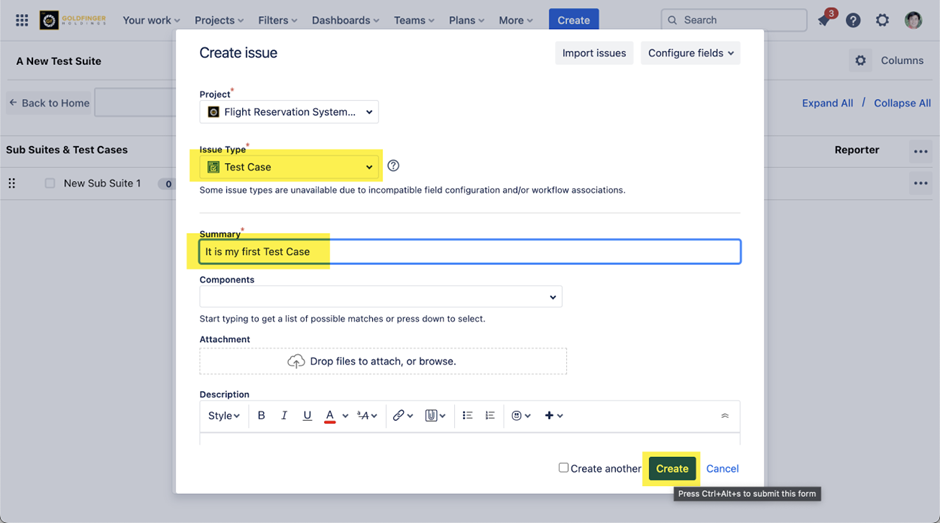
In the Create issue box, select “Test Case” from the issue type drop-down list.
-
Enter the Summary of the test case.
-
Click the “Create” button. The test case is created.
-
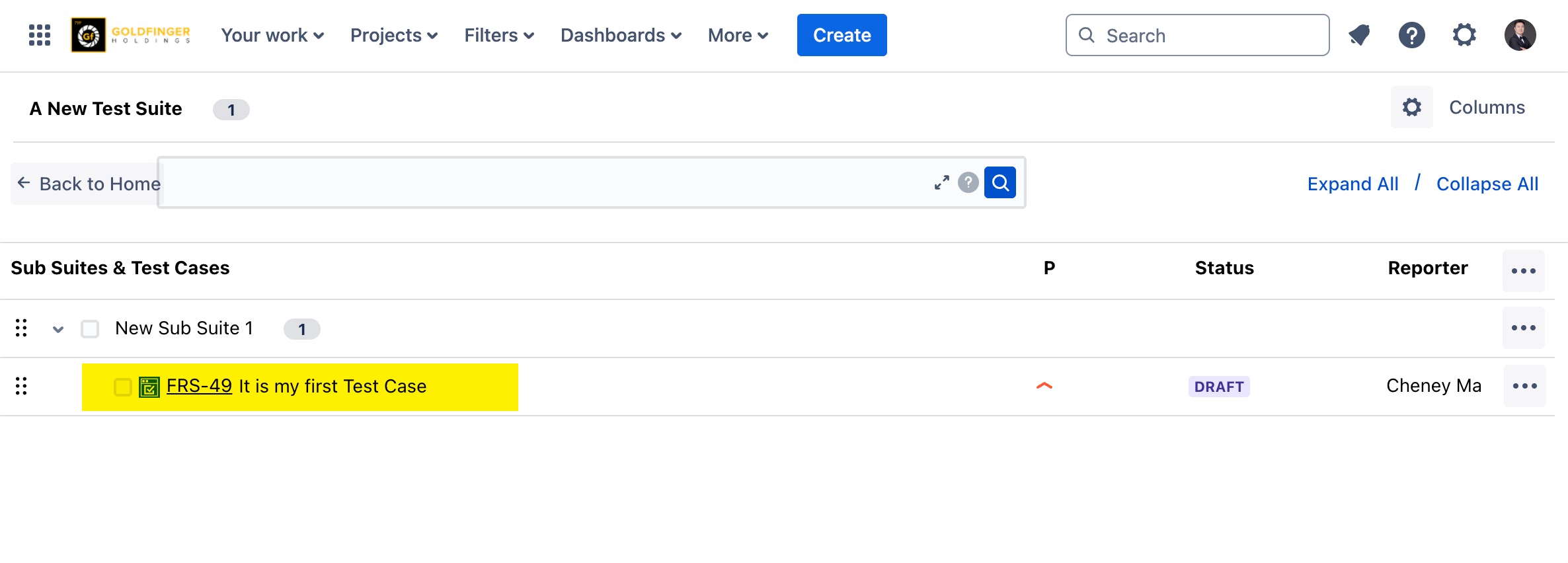
The newly created test case will be listed in test suite/sub suite automatically.