.png)
Accessing Test Case Issue/Opening Test Case
Note: Test case issue is a Jira issue.
-
Click the link pertaining to a test case under the Sub suite. The test case page appears with the additional panel test details, which is from the TestRay app.
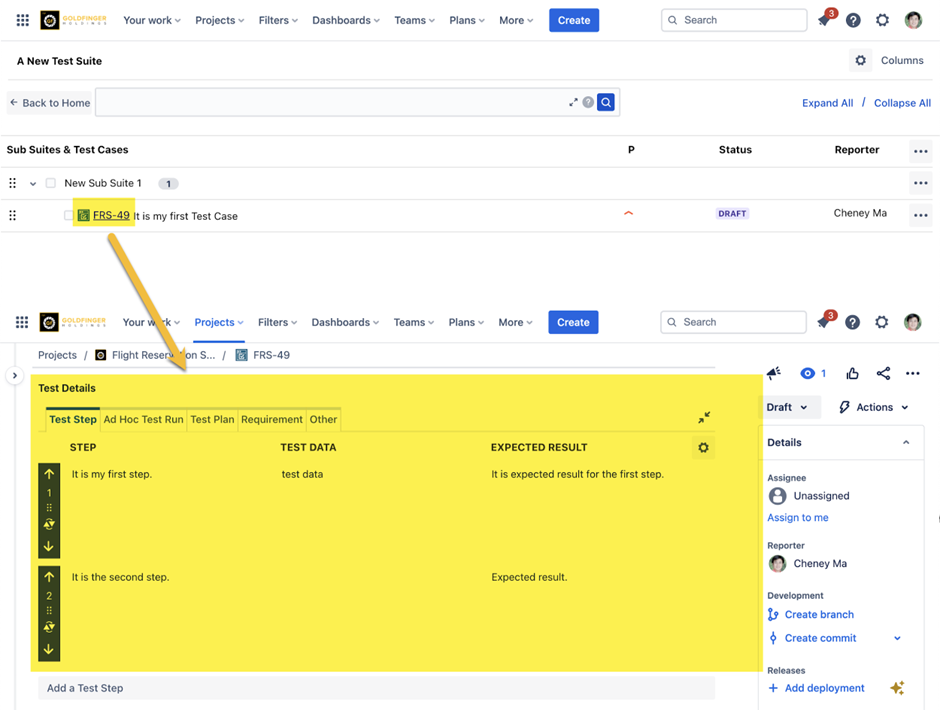
Note: The other features like description and other part of the details on the right-hand tab section are part of the Jira.
Using New/Clone
Note: Use Edit to edit the steps.
-
Use “New” icon to insert steps.
-
Use the “Clone” icon to make a clone of a step.
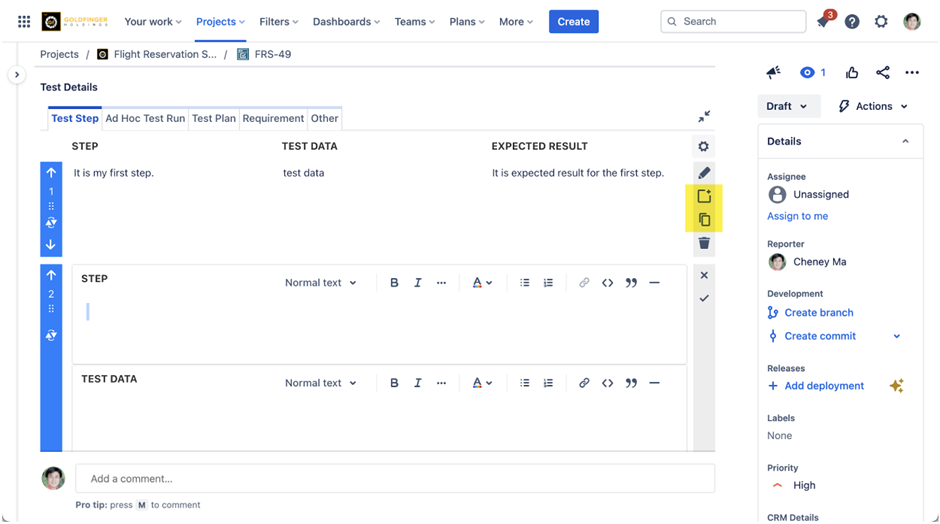
-
Click the “Clone” icon, it duplicates the current step.
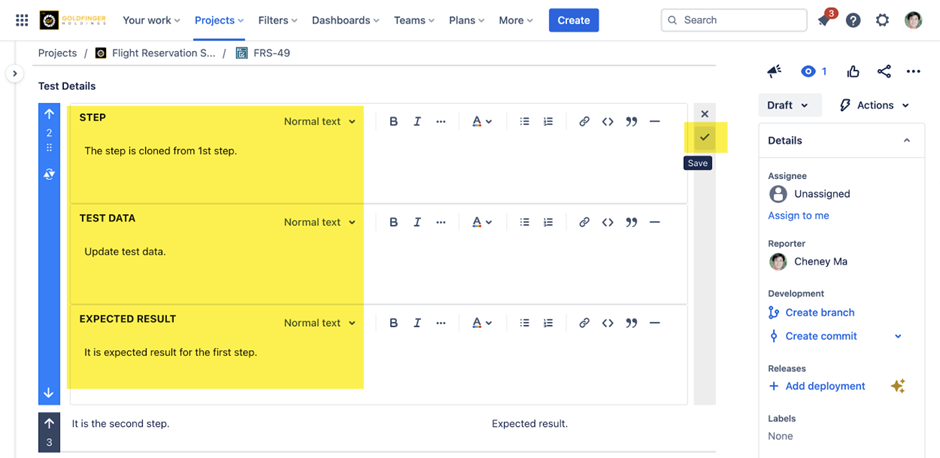
-
Update step and save, a new step is created.
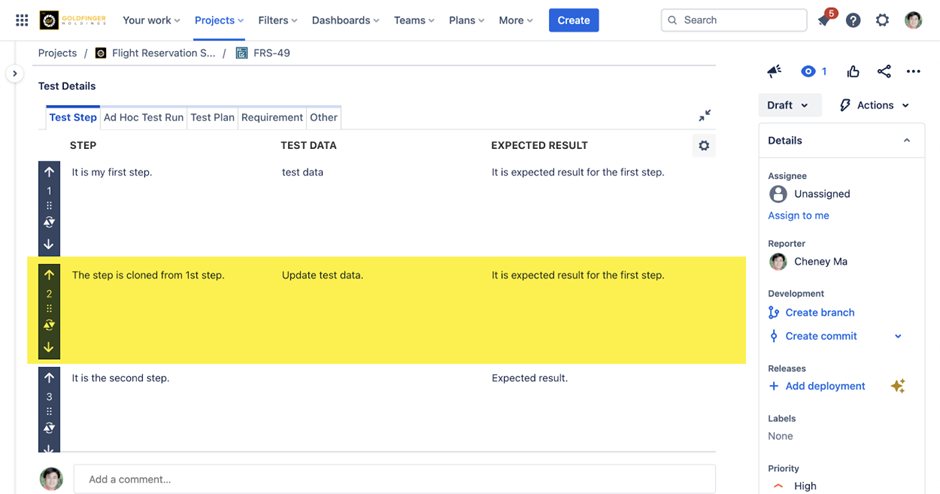
Note: The New, Clone icons help to create additional steps.