.png)
When user is viewing test cases from a specific test suite, user can select test cases and then link them to requirement/s. Following are steps to link test cases to requirement/s from test suite.
-
Launch a test suite with a list of test cases.
-
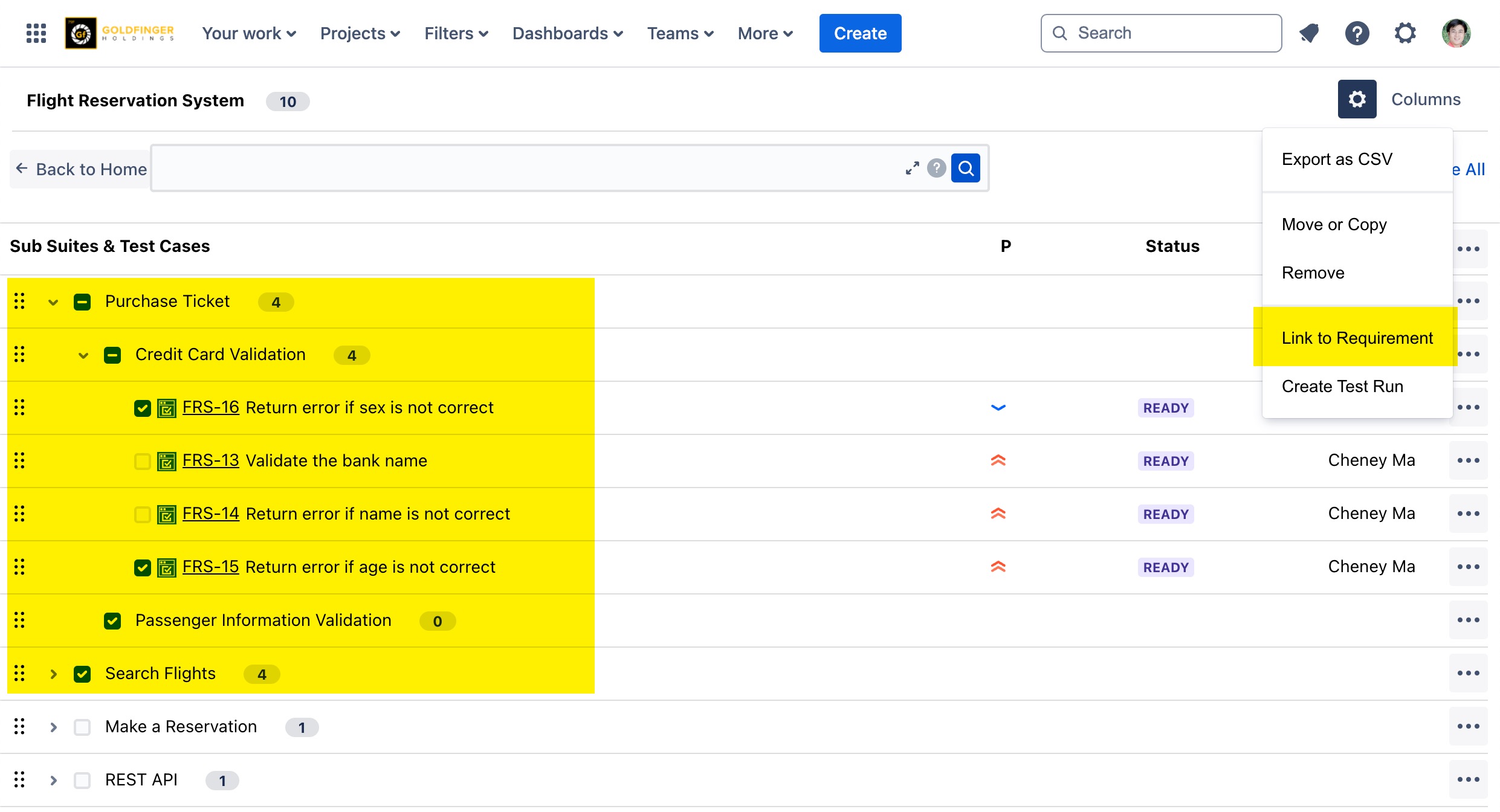
Select test cases those needs to be executed.
-
Click “Gear“ icon, then “Link to Requirement” context menu.
-
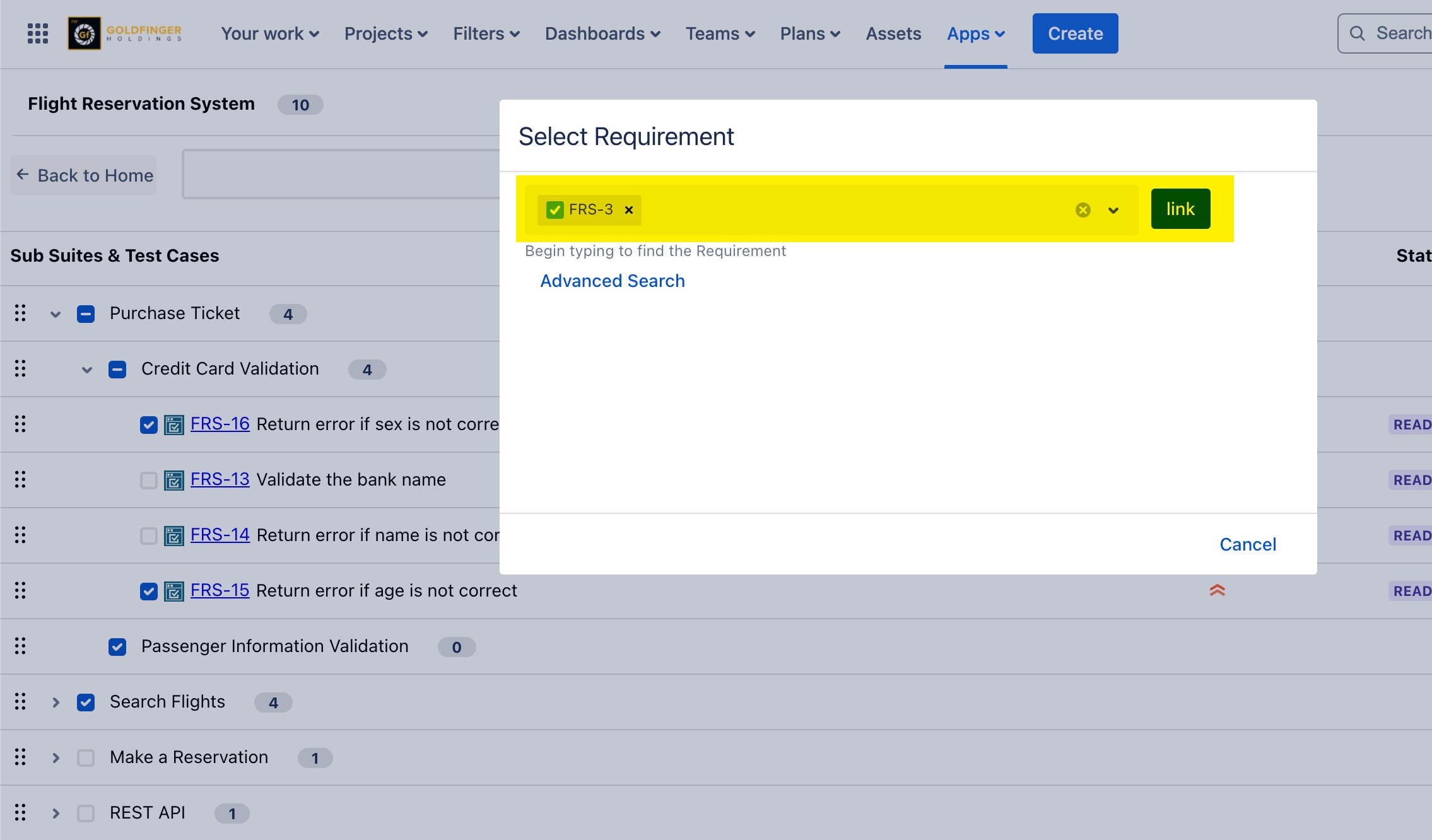
From “Select Requirement“ dialog, type to search a requirement.
-
Click “Link” button.
Tips:
This option is also available for test suite/sub suite node, it will work on all members in the selected node.